
Dual Enrollment Resources
I Applied Without a Social Security Number!
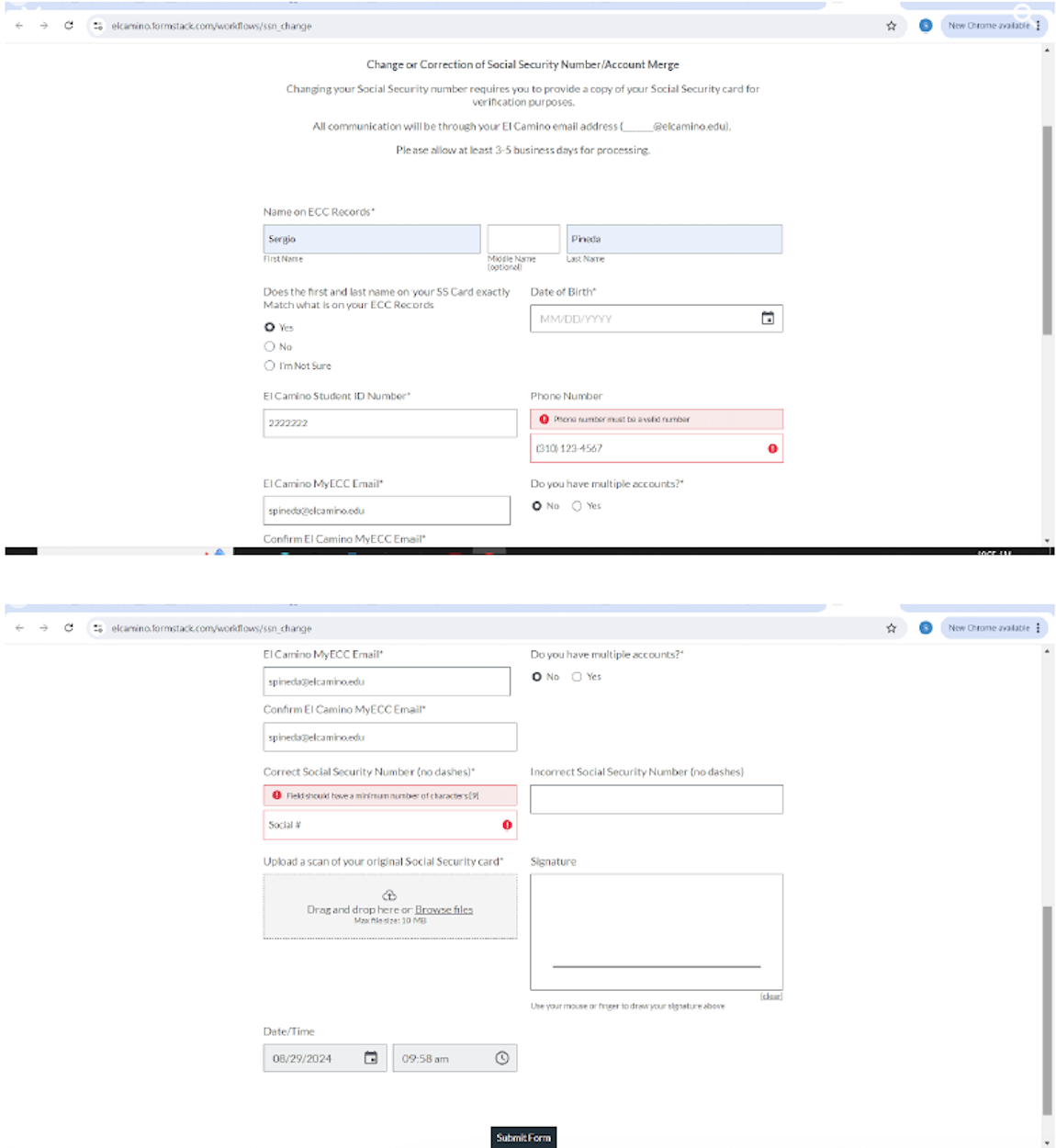
So you submitted your application without a social security number? Not that you DO NOT have a social security, but that you didn't have the number with you when applying to El Camino College. Here are the steps to fix this:
STEPS
Step 1 - Take a picture of your social security card
Step 2 - Send your picture attached to email (it can be to your personal email or your CVUSD email)
Step 3 - Open the email with attachment and "save" the picture on your documents or desktop. Title it something you can remember like "El Camino Verification" Step 4 - Open an internet browser
Step 5 - go to
https://elcamino.formstack.com/workflows/ssn
change
Step 6 - Enter all information and submit
Note: All communication will be sent to your MyECC Email
2. On the ACADEMIC PROFILE card, click Unofficial
Transcript